Proof · not a mockup
Two pages, captured as they ship.
Taken straight from the Notion workspace, not redrawn. Every number in them is an example you can edit or delete.
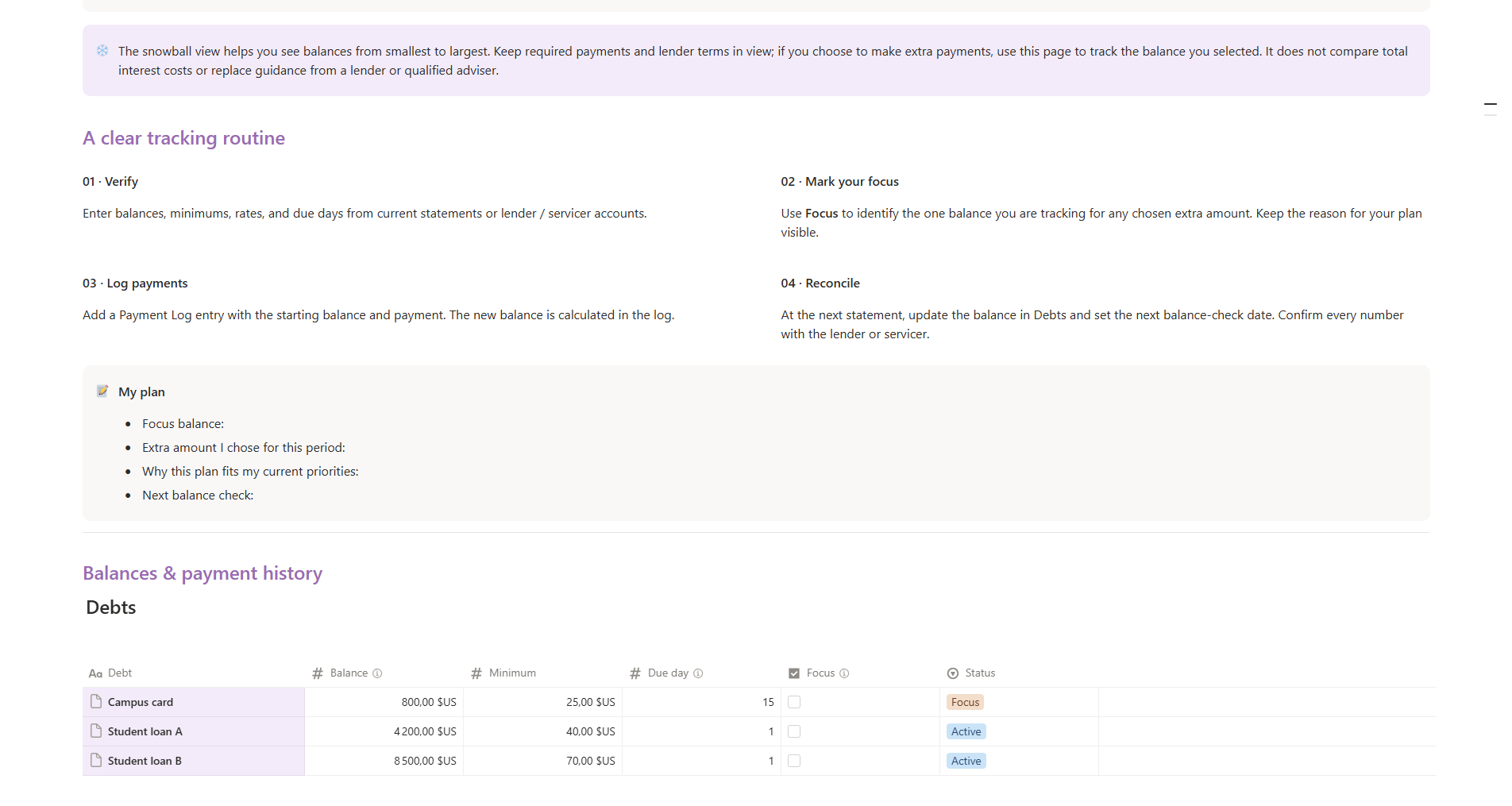
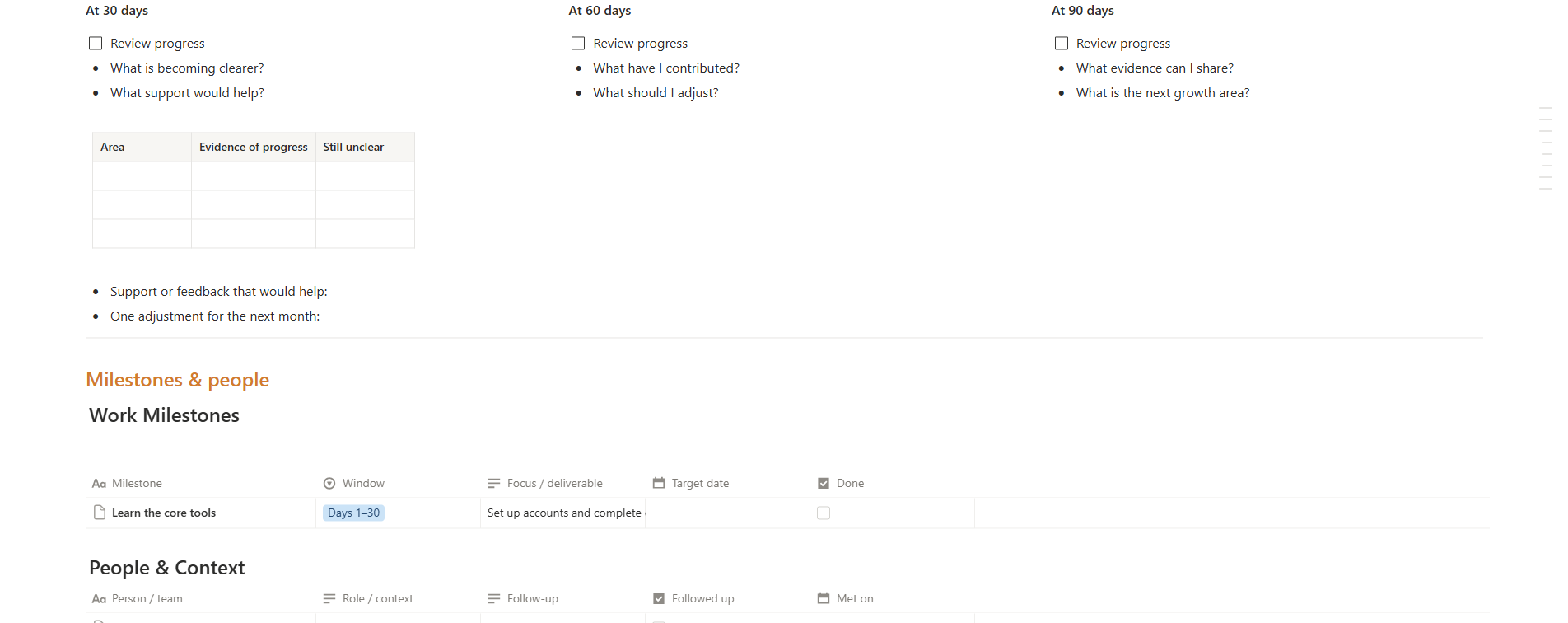
Notion planner · 8 connected sections
Money, work and the first 90 days of a new job. One Notion workspace you fill in yourself, so the numbers stop being a surprise.
One-time paymentWorks on Notion's free planFree 3-page starter
01 · The first month
School taught you the job, not the money. Most first-year budgets fail quietly: one page in a notes app, one number in a banking app, and the real plan in your head.
02 · The idea
Eight pages, connected. What comes in, what must go out, what is left, and what you are actually working towards — with the same numbers in the same place.
FILL IN ONCE
Change a paycheck and the bills, savings and remainder follow. No second spreadsheet.
FIRST TEN MINUTES
Start Here tells you which page to open first and which example rows to delete.
NOTION FREE PLAN
Press Duplicate and the workspace is yours. Nothing to install, nothing to subscribe to.
03 · What is inside
Numbered in the order you use them, from the first payday to the 90-day check-in.
01
A guided first week: what to fill in, in what order.
02
Every payday gets a job before the money lands.
03
One month in one view: in, out, left.
04
Every balance, its rate, its place in the queue.
05
30 / 60 / 90-day check-ins for the new job.
06
Three goals, honest dates, the next action.
07
Five lines on Sunday, before the week starts.
08
The HR answers, dates and names you will look for again.
04 · Paycheck Plan
Split the number into bills, savings, debt and a limit for the rest. The page keeps the remainder — the part people call “where did it go”.
05 · Month and debt
The Monthly Money Map puts planned against actual. The Debt Snowball keeps every balance, its rate and the one balance you are focused on — so you stop re-deciding every month.
06 · Work and weeks
A new job is its own project: milestones, the people you need to know, and 30 / 60 / 90-day check-ins. Then five lines on Sunday, so Monday does not decide for you.
07 · Who it is for
The planner organises the numbers you give it. The decisions stay yours.
08 · How it works
No account to create beyond Notion, no installation, no subscription.
STEP 01
The Notion link is in your receipt, next to the 3-page start PDF.
STEP 02
The whole workspace — all eight sections — copies into your own Notion.
STEP 03
Ten minutes on the first page tells you which example rows to replace.
Gumroad handles checkout, files and refunds. Reply to your receipt within 30 days if it is not for you.
Get the planner · $12 or try the free 3-page starter firstFree · 3 pages
The cover, a start-here page and a payday worksheet from the planner. Printable worksheets you write in by hand — no Notion account needed.
Free on Gumroad. You enter your email once at checkout and the PDF is sent to your inbox — no card, no subscription.
Proof · not a mockup
Taken straight from the Notion workspace, not redrawn. Every number in them is an example you can edit or delete.
Questions
Anything else, reply to your receipt — a person reads it.
No. A free Notion account is enough, on desktop and phone.
No. One payment of $12, yours to keep, including future updates of this planner.
Those are examples so the pages are not empty on day one. The Start Here page tells you exactly which ones to replace or delete.
No. It organises the numbers you give it — what came in, what must go out, what is left, and the order you picked. It is a planner, not financial advice.
Gumroad handles refunds — reply to your receipt within 30 days.
Eight pages, one Notion workspace, $12 once. Start with the free three if you want to see the shape first.
One-time paymentWorks on your phoneNotion free plan